
POS System Cost Analysis: Choosing the Right Solution for Your Business
Selecting the right point of sale (POS) system is a crucial step for any business aiming to streamline operations and reduce credit card processing fees. But with so many options available, understanding the costs involved can feel overwhelming. I’m here to break down the expenses clearly and help you make an informed decision that fits your budget and business needs.
Understanding POS System Cost Analysis
When we talk about POS system cost analysis, it’s important to look beyond the sticker price. The total cost includes hardware, software, payment processing fees, and ongoing maintenance. Each of these components can vary widely depending on the type of system you choose and the features you need.
Hardware Costs
Hardware is the physical equipment you use to process sales. This typically includes:
POS terminals or registers: These can range from simple tablets to full touchscreen terminals.
Receipt printers: Essential for providing customers with proof of purchase.
Cash drawers: For businesses that handle cash transactions.
Barcode scanners: Useful for retail environments with inventory tracking.
Card readers: For accepting credit and debit cards.
Prices for hardware can start as low as $200 for a basic tablet-based system and go up to $2,000 or more for advanced terminals with multiple peripherals.
Software Fees
Software is the brain of your POS system. It manages sales, inventory, customer data, and reporting. Software pricing models vary:
Subscription-based: Monthly fees ranging from $20 to $100 or more.
One-time purchase: A single upfront cost, sometimes with optional paid updates.
Free software: Some systems offer free basic software but charge for advanced features.
Make sure to check if the software supports your business type and integrates with your payment processor.

Payment Processing and Transaction Fees
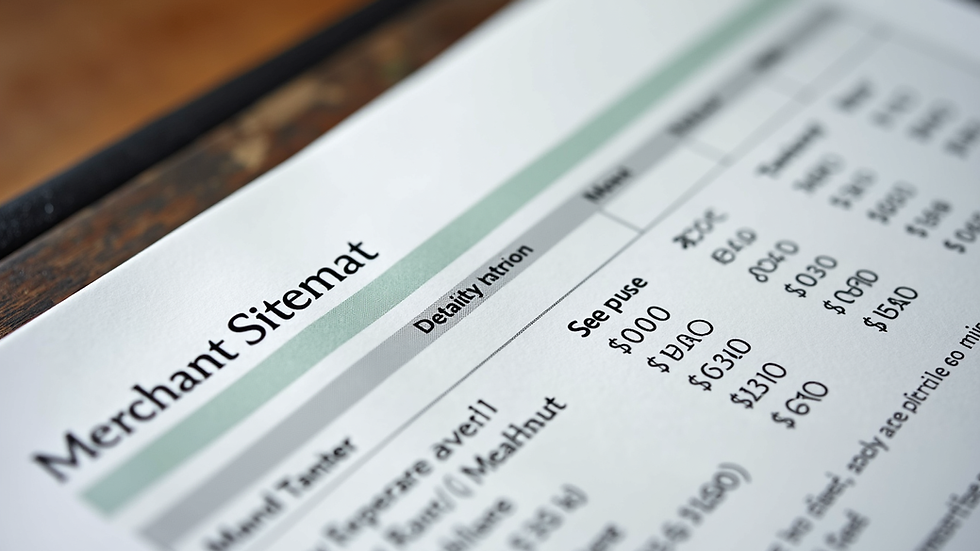
One of the biggest ongoing expenses is payment processing fees. These are charged every time a customer pays with a credit or debit card. Fees typically include:
Percentage of the transaction amount: Usually between 1.5% and 3.5%.
Flat fee per transaction: Often around $0.10 to $0.30.
Monthly or annual fees: Some processors charge a fixed fee regardless of sales volume.
Choosing a POS system that offers transparent and competitive processing fees can save your business thousands annually. It’s worth comparing rates carefully and asking about any hidden fees.
Installation and Training Costs
Don’t forget to factor in the cost of setting up your POS system. Some providers include installation in the price, while others charge extra. Training your staff to use the system efficiently is also important and may require additional investment.
Self-installation: Usually free but requires time and technical know-how.
Professional installation: Can cost $100 to $500 depending on complexity.
Training sessions: May be included or charged hourly.
Investing in proper setup and training ensures your system runs smoothly and your team feels confident using it.
Maintenance and Support Expenses
Ongoing support and maintenance keep your POS system running without interruptions. This can include:
Software updates: Often included in subscription fees but sometimes extra.
Hardware repairs or replacements: Costs vary depending on warranty and damage.
Customer support: Some providers offer 24/7 support, others limited hours.
Look for a provider with reliable support and clear policies on maintenance costs to avoid surprises.

How to Choose the Best POS System for Your Budget
Now that you understand the different cost components, here are some practical tips to help you choose the right POS system:
Assess your business needs: Consider your sales volume, payment types, and inventory management requirements.
Set a realistic budget: Include hardware, software, processing fees, installation, and support.
Compare multiple providers: Look for transparent pricing and no hidden fees.
Request demos or trials: Test the system to ensure it’s user-friendly and fits your workflow.
Negotiate payment processing rates: Lower fees can significantly reduce your overall costs.
Plan for scalability: Choose a system that can grow with your business.
By following these steps, you’ll find a POS system that balances cost and functionality effectively.
Final Thoughts on POS System Cost Analysis
Choosing a POS system is a big decision, but understanding the full cost picture makes it easier. Remember, the cheapest option upfront might not save you money in the long run if it has high processing fees or poor support. Take your time, do your research, and use this choosing a pos system cost guide to help you navigate the options.
Investing wisely in your POS system will help you reduce credit card processing fees and maximize savings, supporting your business’s growth and success.

Comments